Mainline Linux 7.3.1 on a 2016 Huawei Phone That Runs My Home Assistant
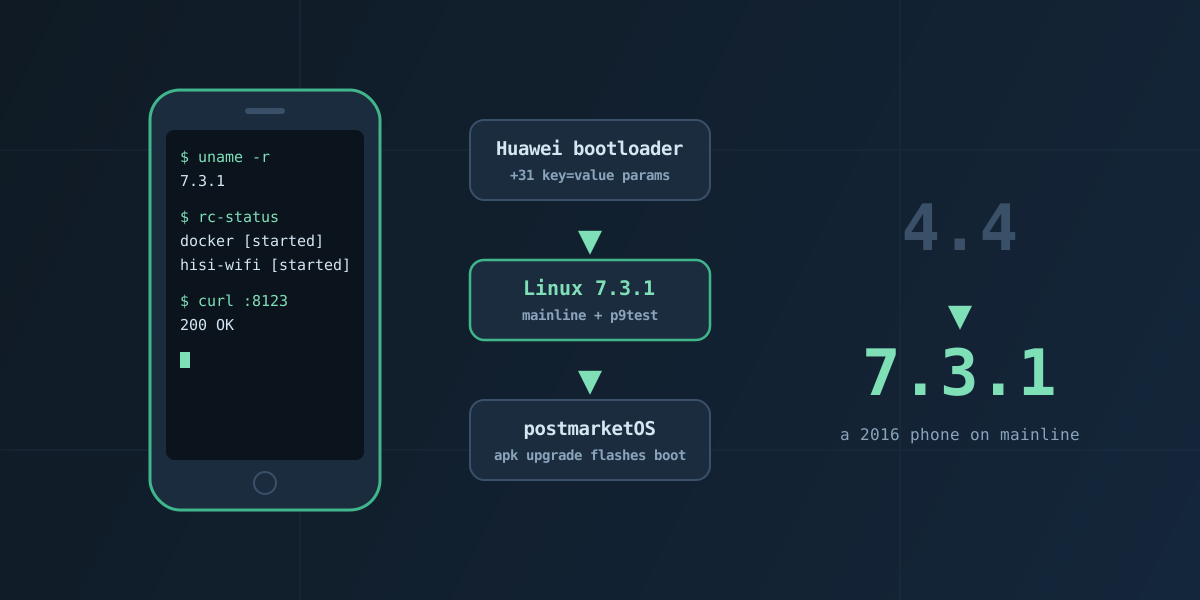
An old Huawei P9 lite (Kirin 650, 2 GB RAM) sits on a shelf at home running postmarketOS, Docker, Home Assistant and nginx over its own Wi-Fi. Until this week it did that on Huawei’s vendor 4.4 kernel. Now it runs mainline Linux 7.3.1, and the kernel arrives as a normal postmarketOS package: apk upgrade rebuilds the boot image and flashes it.
The code is on GitHub: hradaideh/p9lite-mainline.
How It Got Here
The mainline port is the last chapter of a longer project. The phone started as a locked, stock EMUI handset.
- Unlocking the bootloader. Huawei stopped issuing unlock codes years ago. PotatoNV, run from a Windows machine with the phone in Kirin’s USB download mode, wrote a new unlock code into the phone’s NVME (Huawei’s non-volatile settings store), and
fastboot oem unlockwith that code did the rest. - Making the boot partitions writable. An unlocked bootloader still refused to write the boot partitions until FBLOCK was unlocked as well. PotatoNV writes that flag in the same pass.
- postmarketOS on the vendor kernel. Getting the first image to boot on Huawei’s 4.4 kernel took Claude and me around two weeks. The fixes ranged from an initramfs compressed in a format the kernel couldn’t read to a Wi-Fi firmware version mismatch and an OpenRC service that brings up the vendor Wi-Fi driver with P2P disabled, because creating the P2P interface crashed it.
- Home Assistant, minus WARP. Docker ran, but only on cgroup v1. The real wall was Cloudflare WARP: the vendor kernel has legacy iptables wired in and no nftables, which WARP needs. Even a 4.4 rebuild with nftables bolted on fell short, because Cloudflare’s connector also wants nftables features that only arrived in 5.x kernels. Home Assistant went live without WARP.
- Mainline. That ceiling is what made a mainline port worth trying: device tree fixups, hardware drivers, porting Huawei’s Hi1102 Wi-Fi driver, and a run of boot failures that ended at the kernel’s
INIT_ENV_ARG_LIMITof 32. That is the rest of this post. - Automation. Finally, the kernel became an Alpine
apkpackage, so a kernel upgrade is now justapk upgrade.
Today the phone runs mainline Linux 7.3.1, Docker, Home Assistant and nginx.
Where the Port Started
- Boot, eMMC, USB on mainline needed a small built-in helper,
p9test, that fixes up the vendor device tree at boot: stand-in clocks, the SDHCI node, the USB PHY, the SDIO slot for Wi-Fi. - Wi-Fi is a Hisilicon Hi1102. There is no mainline driver, so Huawei’s GPL driver from the 4.4 tree was ported to 7.x: about 200 files, a compat layer for removed kernel APIs, and a lot of
wakelockandtimer_listarchaeology. It scans, does WPA2 and passes traffic. - Userspace is unchanged: the same postmarketOS rootfs, OpenRC, Docker with cgroup v1, iptables and nftables.
Every piece passed on its own — a test kernel with a tiny busybox /init booted every time. The real postmarketOS image never did.
Huawei’s Boot-Fail Mode
When the production image failed, the phone did not reboot into fastboot. It booted eRecovery instead, and stayed there until someone pressed “Reboot” on the screen.
That is Huawei’s boot-fail mode. The vendor kernel source (drivers/hwbfm) explains it:
- The bootloader keeps a boot keypoint in a PMIC register (
HRST_REG1). Stock Android sets it to 250 once boot completes. - A reset before 250 — watchdog, panic, thermal — counts as a boot failure. A few of those and the bootloader boots
recovery2(eRecovery). - Every failure is recorded in the
bootfail_infopartition: aBFIXheader, then 4 KiB records holding an RTC timestamp, an errno and a stage code.
Decoding those records gave the first real clue. Every failed boot said the same thing:
2026-11-07 05:45:45 errno 0x03000003 (KERNEL_AP_WDT) stage 0x02000004 (BL2_STAGE_END)The AP watchdog fired, and the last progress the bootloader saw was its own handoff to the kernel. The kernel died before any of my code ran — so no log, no panic handler, nothing.
Making Failure Cheap First
Before hunting the bug, I made failing safe. Every eRecovery round needed a human at the phone.
p9earlyis a kernel parameter handled inparse_early_param, long before any initcall. It writes keypoint 250 straight away, so the bootloader never counts our resets as boot failures. It also leaves a marker in RAM that survives a warm reset.- A boot that finds the marker still set knows the previous one died. It restarts straight to fastboot and leaves the dead boot’s kernel log untouched for the next kernel to read.
- Until userspace writes
boot_ok=1, every panic, hang or reboot goes to fastboot, and a 10-minute deadline forces it.
Each piece was tested by breaking things on purpose: a forced panic, then a starved watchdog — the exact reset that used to mean eRecovery. Both landed in fastboot by themselves, with logs.
The Bisection
With failure cheap, I stopped guessing and split the difference between the image that booted and the one that didn’t:
| Image | Ramdisk | Kernel command line | Result |
|---|---|---|---|
| Test | small busybox | test | boots |
| T2 | small, padded to 7.9 MB | test | boots |
| T1 | small busybox | production | dies |
Ramdisk size was innocent. The command line killed it.
The One-Line Cause
Linux passes every unknown key=value boot parameter without a dot to init as an environment variable, and allows at most CONFIG_INIT_ENV_ARG_LIMIT of them — 32 by default. Past that, start_kernel panics:
panic("Too many boot %s vars at `%s'", panic_later, panic_param);The Huawei bootloader appends about 31 dot-less parameters of its own: boardid=, himntn=, TP_COLOR=, ddr_die= and friends. The vendor kernel consumes them in Huawei drivers; mainline doesn’t know them. postmarketOS adds three more (pmos_boot_uuid=, pmos_root_uuid=, pmos_rootfsopts=), and the count goes over the edge.
The panic happens before the console exists, so it is silent. The watchdog the bootloader left running fires, and boot-fail mode does the rest.
 config INIT_ENV_ARG_LIMIT
 	int
-	default 32 if !UML
+	default 128 if !UML
The test image with the production command line booted 41 seconds after that change.
Two More Things Mainline Didn’t Like
console=ttyS0comes from the bootloader, but mainline names these UARTsttyAMA*. PID 1 started with no stdin or stdout. A busybox/initdoesn’t care; the postmarketOS init dies on its first redirect. Fix: addconsole=tty0.- The firewall started working. The vendor kernel never loaded postmarketOS’s nftables ruleset, so the phone had effectively been running without one. Mainline loads it, with an input policy of
drop, and Home Assistant disappeared from the LAN until port 8123 got an explicit rule.
I also ruled out heat: 8 cores at 100 % for 10 minutes on 7.3.1 without a single thermal reset.
Making It a Package
The last step was making updates boring. postmarketOS already has the machinery:
linux-huawei-venus-mainlineships the 7.3.1 image and modules, including the Hi1102 driver. Itprovidesandreplaceslinux-huawei-venus, so the device package stays satisfied.p9lite-mainlineships/etc/deviceinfowith the kernel command line anddeviceinfo_flash_kernel_on_update="true", plus theboot_oksignal and the firewall rule.- Both are built with
abuildin an Alpine aarch64 container, signed, and served from a local repo on the phone.
sudo apk upgrade
# postmarketos-mkinitfs: new initramfs
# boot-deploy: boot.img from /boot/vmlinuz + deviceinfo
# ==> Flashing boot image
# Flashing boot.img to 'boot'
sudo reboot     # back with Home Assistant in ~65 s
Takeaways
- Decode the bootloader’s own records before guessing.
bootfail_infosaid “the kernel never started” long before any kernel log could. - Make failure cheap, then bisect. An hour spent on the recovery net turned every later test into a two-minute loop with no hands on the phone.
- Vendor bootloaders talk to vendor kernels. Anything they pass in — command-line parameters, console names, reset reasons — is an interface mainline doesn’t speak.
- Check the defaults you never set.
INIT_ENV_ARG_LIMIThas no menu prompt, and 32 is plenty everywhere except here.
Still open: the display (simplefb), the charger, CPU frequency scaling, and reading the real Wi-Fi MAC address from Huawei’s NVE partition.
Comments